Start with what you actually need
Choose a supported console first, then add only accessories you will use. A premium controller, extra SSD and new TV are optional.
The short answer
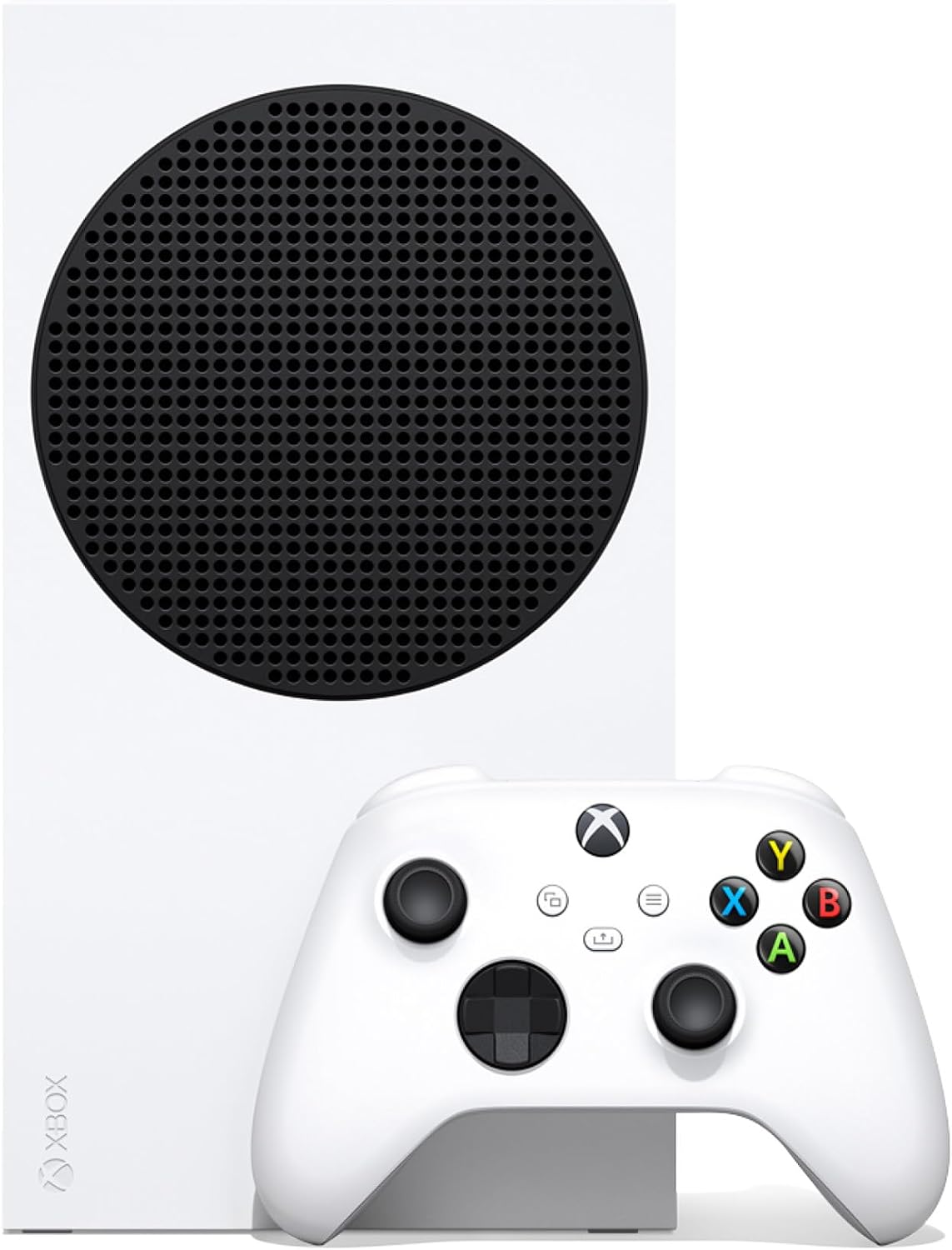
- Lowest listed new native setup in these examples: Xbox Series S 512GB plus Standard, A$723 before delivery, checked 27 November.
- Already own Xbox One or One S? The game does not install natively, but Xbox lists cloud streaming on Xbox One and Series X|S. Buy the game separately and check your account’s streaming options before spending on a subscription, playtime or new hardware.
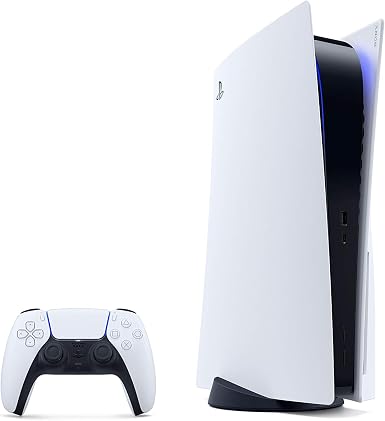
- PlayStation newcomer: PS5 Digital for downloads; PS5 with a drive if you want other disc games or films. GTA VI does not need a drive.
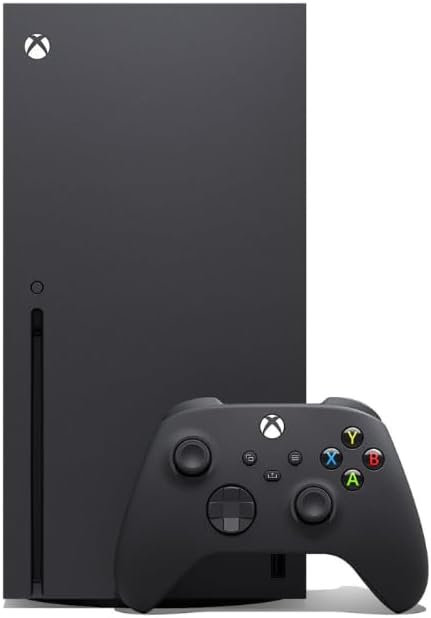
- Xbox newcomer: Series X Digital for a higher hardware tier without a disc library; Series X with a drive for other discs and films.
- PC-only player: no native PC release established by the reviewed sources; do not buy a GPU or handheld assuming it will run GTA VI.
GTA VI released on 19 November. Retail Standard boxes contain a download code. The game requires up to 212 GB of available space, depending on console. This is a research-based buying guide, not a hands-on test; price examples are not guaranteed stock or deals.
Xbox Australia: play options · Rockstar editions and platforms · Rockstar installation requirements
Installation and free space
Official guidance, checked 27 November 2026: Rockstar specifies up to 212 GB of available space depending on device. That is not an exact installed footprint or download size.
Check your console’s storage screen before paying for an upgrade. Move games you do not need, allow room for later updates and follow any extra space prompts. A 512GB advertised capacity does not mean 212 GB is free.
Official installation requirements
Compare the consoles
Australian retail listings checked 27 November 2026. Starter cost combines the listed console with the matching A$124 Standard code-in-box from BIG W, using an existing display and supplied controller. Postcode stock, delivery and checkout prices are not verified. Retailer references below are not affiliate offers.
Current dated retail examples| Console | Console price | Starter total |
|---|
| Xbox Series S 512GB | A$599 | A$723 |
|---|
| Xbox Series S 1TB | A$749 | A$873 |
|---|
| Xbox Series X Digital 1TB | A$899 | A$1,023 |
|---|
| PS5 Digital 825GB | A$899 | A$1,023 |
|---|
Series S 512GB · Series S 1TB · Series X Digital · PS5 Digital · Xbox Standard code · PS5 Standard code
Other hardware options include PS5 with a disc drive, PS5 Pro and Xbox Series X with a drive. Current prices for those models were not rechecked here. A drive is useful for other media, not GTA VI.
Older and remaining stock options
Original full-size PS5 and PS5 Digital, earlier 1TB slim models, Xbox Series S 1TB Carbon Black and Xbox Series X 2TB Galaxy Black are also relevant supported-family choices. Their current AU prices are not verified here. The 2TB Series X is a sunset model, not a faster performance tier. Cosmetic editions and colour changes do not create extra performance tiers.
Check the exact model, advertised capacity, included controller, drive, warranty and returns. A used console should demonstrate normal operation and network access. Do not pay for a seller’s digital account as though its library transfers with the hardware.
Xbox price and sunset notice · Earlier PS5 slim announcement
The disc drive decision
A drive can be useful for other games and films, not for a GTA VI code-in-box copy. Sony’s add-on drive supports the specified CFI-2000/2100 slim Digital models and PS5 Pro, with internet pairing; it does not fit original full-size PS5 Digital. Xbox Series S and Series X Digital have no official add-on disc drive.
Sony’s selector also states that newly released games from January 2028 will be digital-format only; previously released discs remain playable. Do not read that as a claim your existing disc library stops working.
Stock caveat: Microsoft pages contained inconsistent availability labels, and a Sony listing’s stock indicator applies only to that listing. These figures are price benchmarks, not verified checkout offers.
PS5 controllers from sensible to premium
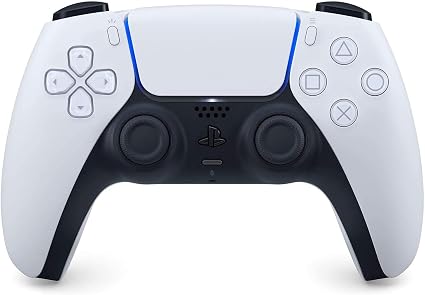
Keep the supplied DualSense
The best starting point costs nothing extra. It is rechargeable and supports native PS5 features. A standard-colour spare is the sensible budget option if you actually need another pad. Sony’s Ice Blue listing showed A$119.95 including GST; other colours may differ. Do not buy a second controller on the assumption GTA VI has split-screen.
Manufacturer information
Ice Blue dated AU price
DualSense Edge for first party features
A premium option for remapping, profiles and adjustable controls while retaining haptics, adaptive triggers, motion controls and microphone support in compatible games. It works with Sony’s DualSense Charging Station. Its sticks are not claimed here to be Hall-effect or TMR; local price and replacement-stick stock need checking.
Manufacturer information
Razer Raiju V3 Pro for control customisation
Native PS5 and PC support, symmetrical TMR sticks, remappable controls and wireless USB-A dongle or cable. Important trade-offs: Razer says no haptic feedback and no waking PS5 from sleep. Its up-to-36-hour battery figure is a manufacturer claim; 2000Hz polling applies to wired PC, not PS5 wireless, which is specified at 250Hz.
Manufacturer information
Nacon Revolution 5 Pro for an offset layout
Native PS5, PS4 and PC support with Hall-effect controls and wired or wireless use. It does not provide vibration in native PS5 games, adaptive triggers or haptic feedback. Vibration is available on PC and PS4 games. Choose it for layout and controls, not as an automatic immersion upgrade.
Manufacturer information
Nacon official manual
Compatibility check before checkout
Demand explicit native PS5 game support for the exact SKU. A DualShock 4 or PS4-only controller connecting to PS5 does not make it suitable for native PS5 games. Avoid unverified adapters and universal-compatibility claims. Keep full analogue trigger travel available for driving rather than automatically selecting click-only modes; this is practical buying advice, not a test of GTA VI’s final controls.
Sony controller compatibility
Xbox controllers and exact model traps
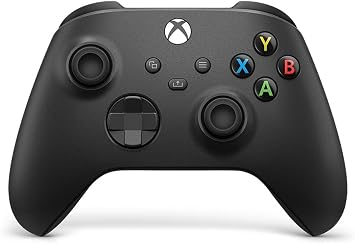
Keep the Xbox Wireless Controller
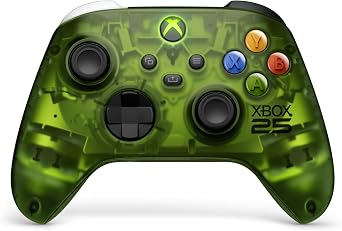
The included pad is enough to begin. For a spare, choose a standard model before paying for cosmetic editions. Budget for AA batteries or a suitable rechargeable solution. The controller’s Bluetooth feature does not mean third-party Bluetooth pads connect wirelessly to Xbox.
Manufacturer information
GameSir G7 SE and G7 Pro for wired value
G7 SE has Hall-effect sticks and triggers plus rear controls, but is wired on Xbox. The original G7 Pro Tri-Mode adds TMR sticks, click stops, extra controls and a dock, yet is also wired on Xbox. Separate G7 Pro Wireless versions support Xbox receiver connectivity. Do not confuse Tri-Mode, Wireless and PC-only 8K variants. Compare the actual delivered AU price before calling one the cheapest.
Manufacturer information
G7 Pro official FAQ · G7 Pro Wireless connection guide
Xbox Elite Wireless Controller Series 2
First-party premium option with adjustable stick tension, four paddles and rumble or impulse triggers. The full kit includes a dock, paddles and case; Core omits those extras. Compare complete configured costs. Up to 40 hours is a manufacturer claim. No Hall-effect or TMR claim is made. Conflicting official AU price references mean no live price is quoted.
Manufacturer information
Razer Wolverine V4 Pro and older V3 Pro
V4 Pro is the newer Xbox and PC option: capacitive contactless sticks, removable rear buttons, extra bumpers, dual-mode triggers and rumble. Up to 27 hours is a claim; up to 8K polling is PC-only. The older Xbox-compatible V3 Pro has Hall-effect sticks and can be worth comparing on discount. Wolverine V3 Pro 8K PC is a different, PC-only product.
Manufacturer information
Xbox compatible V3 Pro support
Other premium wireless choices
SCUF Valor Pro Wireless offers TMR sticks, four rear paddles and dual-mode triggers; its dongle, not Bluetooth, handles Xbox connectivity. ASUS ROG Raikiri II Xbox Wireless GX501 supports Xbox via 2.4GHz or USB-C, with TMR controls, a case and stand. Its 250Hz Xbox and 1000Hz PC figures are different; up to 50 hours is a claim, not our test.
SCUF Valor Pro Wireless · ASUS GX501 FAQ
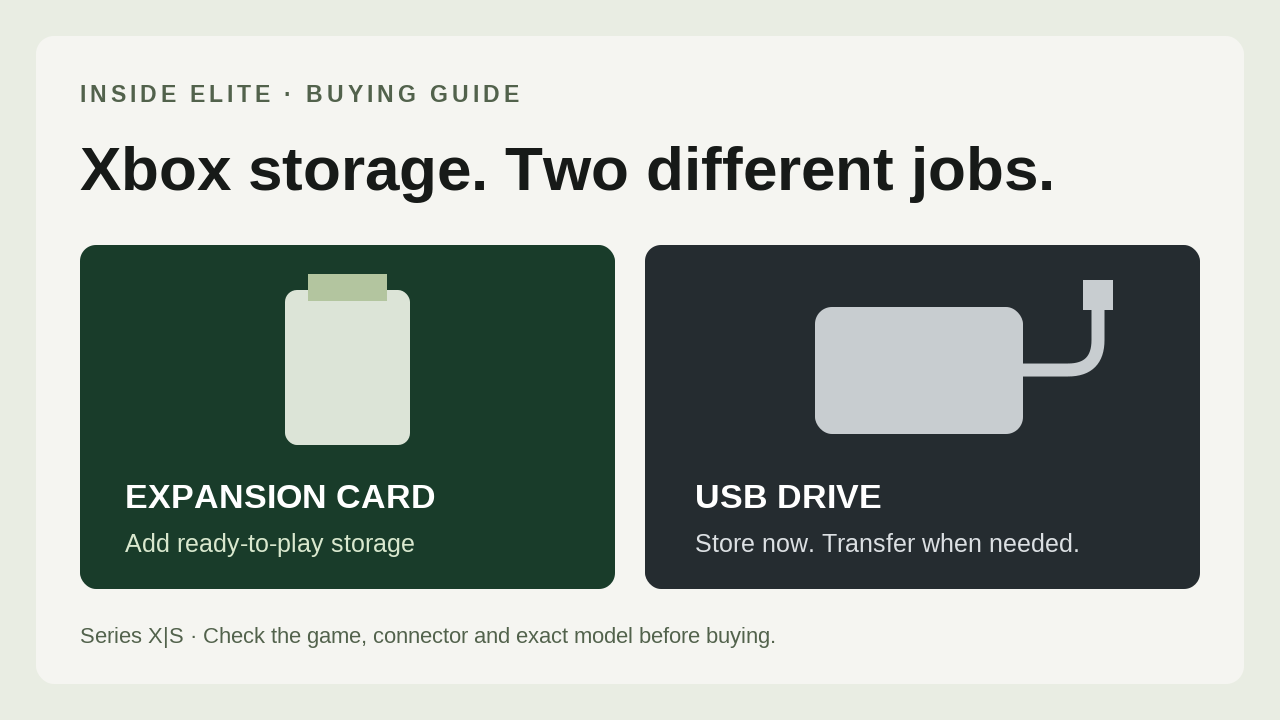
Storage without the wrong purchase
Check your console’s actual free space first. Rockstar now specifies up to 212 GB of available space depending on device; PlayStation recommends at least 212 GB on PS5. This is not an exact installed-size measurement. Keep room for updates, captures and other games, but do not assume an SSD upgrade is compulsory. Advertised capacity is not the same as available game space.
Storage without the wrong purchase comparison| Platform | Runs current generation games | Archive and transfer |
|---|
| PS5 | Internal storage or a compatible installed M.2 NVMe SSD | USB HDD or SSD stores PS5 games; transfer them back to run. |
|---|
| Xbox Series X|S | Internal storage or a supported dedicated expansion card | Generic USB drives archive current-gen titles; eligible older games may run from USB. |
|---|
PS5 practical shortlist
WD_BLACK SN850P with integrated heatsink is a licensed choice, available as a 1TB to 8TB family; 2TB is a useful comparison point for a wider library. Samsung 990 PRO with Heatsink is another candidate. Choose the exact heatsink model and capacity, not a bare drive with a similar name. It is 990 PRO, not “X990 PRO”. Larger 4TB or 8TB options are library luxuries, not known GTA VI requirements.
SN850P manufacturer datasheet · Samsung AU 4TB heatsink model
Sony specifies compatible PCIe Gen4 x4 M.2 NVMe, 250GB to 8TB, with effective heat dissipation, and recommends sequential reads of at least 5,500MB/s. Maximum assembly width is 25mm and total thickness 11.25mm, subject to Sony’s above-board and below-board limits. M.2 SATA is unsupported; a higher Gen5 headline speed alone is not a reason to spend more.
Sony M.2 requirements and installation · Sony storage management
Xbox practical shortlist
Compare WD_BLACK C50 and Seagate Storage Expansion Card for Xbox Series X|S at the same capacity and delivered AU price. 1TB and 2TB are sensible comparison points. C50 also has a 512GB option; Seagate has a 4TB model for large libraries. A dedicated expansion card is not the same product as a USB Game Drive, and a PS5 M.2 SSD cannot substitute for it.
WD_BLACK C50 family · Seagate expansion card datasheet · Seagate USB limitations
The budget test
At these benchmarks the Series S 1TB costs A$150 more than 512GB. Compare that premium with the current cost of a compatible expansion card only if you need more space. Do not add a card automatically and then describe the resulting bundle as the cheapest way to play.
For the detailed Xbox trade-off, read our expansion cards versus USB storage guide before choosing a drive.
Headsets charging and batteries
Start with the audio you already own
TV audio or a compatible wired headset through the controller can be enough for solo play. Generic Bluetooth does not guarantee direct console support. For wireless purchases, check the exact platform edition and included receiver.
Headsets charging and batteries comparison| Headset | Good fit | Important limitation |
|---|
| Sony PULSE Elite | PS5 and Portal households | Link adapter for PS5; not Xbox wireless. |
|---|
| Xbox Wireless Headset | Xbox first setup | AU collection listed A$159.95; no PS5 wireless promise. |
|---|
| Arctis Nova 3X Wireless | Multi-console value candidate | 3X supports Xbox and PlayStation; 3P is not Xbox-compatible. |
|---|
| Arctis Nova Pro Omni | Current premium multi-system desk | Supports multiple mixed sources; excessive for a simple single-console setup. |
|---|
| Arctis Nova Elite | Luxury multi-source setup | 96kHz/24-bit claims do not establish each console’s output or a GTA VI advantage. |
|---|
| Nova Pro Wireless for Xbox | Older premium option if priced well | Xbox edition supports PS5 too; PS/PC edition does not support Xbox. |
|---|
PULSE Elite · Xbox AU headset prices · Nova 3X versus 3P · Nova Pro Omni · Nova Elite · Older Nova Pro variants
PULSE Elite combines Link and Bluetooth audio and includes a charging hanger; up to 30 hours is the manufacturer’s battery claim. Xbox Stereo Headset was listed at A$89.95 as a lower-price wired alternative. Neither is necessary to unlock GTA VI gameplay.
Charging that solves a real annoyance
Sony’s DualSense Charging Station charges two DualSense or Edge controllers. A cable is enough if you do not need a dock. Xbox Rechargeable Battery + USB-C Cable fits the USB-C Xbox Wireless Controller; its under-four-hour charge and up-to-30-hour life are manufacturer claims. Elite Series 2 already has an internal rechargeable battery.
Rechargeable AA cells with an external charger are another Xbox option. Do not assume ordinary rechargeable AAs charge inside the controller over USB. A dock must match the controller and battery pack, not merely the console brand.
Sony charging station · Xbox battery and cable
Remote play accessibility and displays
Try remote play before buying a handheld screen
PS Remote Play streams from your PS5 to a compatible phone, tablet, PC or Mac. PlayStation Portal is a dedicated Remote Play screen for your own PS5, not a native GTA VI handheld. GTA VI’s PS5 listing supports Remote Play; Australia is not in Sony’s published supported regions for its separate PS5 and Portal cloud-streaming service. Do not purchase Portal as a standalone substitute for PS5. Sony cloud regions.
Sony states 5Mbps minimum and 15Mbps recommended. A stable network and low latency matter more than a headline broadband number. Test the free route on a device you already own before buying a Portal or phone controller. Check controller compatibility with the exact phone, connector, case and app.
Sony Remote Play requirements · Sony accessories and Portal
Xbox Remote Play is an existing console-streaming feature with 10Mbps download guidance. Your GTA VI host must be a Series X or Series S, even though general Xbox Remote Play supports other consoles. Rockstar confirms Remote Play support; operation has not been tested here. Xbox-branded Windows handhelds do not become native Series consoles.
Xbox Remote Play requirements
Accessibility is a needs led purchase
Sony Access and Xbox Adaptive Controller deserve consideration when their layouts and external inputs meet the player’s requirements. They should not be ranked against esports pads as if one specification fits everyone. Budget for any external switches, mounts or other inputs needed, and confirm the intended setup before purchase. Product references here are non-affiliate manufacturer information.
Sony Access and accessories · Xbox Adaptive Controller
A new display is optional
Keep a working compatible HDMI display if you are buying on a tight budget. For a broader-library upgrade, compare low-latency Game Mode, actual HDR performance, console VRR compatibility, HDMI features, room brightness and viewing distance. A 4K 120Hz or 144Hz screen does not establish GTA VI’s frame rate.
OLED versus Mini LED is a room, usage and budget decision, not an untested GTA VI winner. A premium screen may benefit other games, but 4K at 120Hz is not a mandatory purchase for this title. Exact AU TV and monitor models require a separate current-price comparison before being called best value.
Skip the extras that promise magic
Cooling fan attachments, RGB docks and expensive HDMI cables are not proven GTA VI performance upgrades. Use the supplied suitable cable unless you need a different length or specification. Leave ventilation space and follow the console manufacturer’s placement instructions rather than adding accessories without a clear need.
Creator setup for recording and streaming
These are optional computer-based production tools, not requirements to play GTA VI. Start with an existing mic, camera and lighting if the result already meets your needs. A capture setup records to your computer; it is not required just to play.
Choose capture for the workflow
Creator setup for recording and streaming comparison| Capture device | Practical role | Check before buying |
|---|
| Elgato 4K S | 4K60 SDR capture with HDMI 2.0 and 5Gbps USB | Official comparison lists HDR capture up to 1080p60. |
|---|
| Elgato 4K X | HDMI 2.1 and 10Gbps USB; higher-refresh supported configurations | Up to 4K144 is configuration-dependent; comparison lists HDR capture up to 4K30. |
|---|
Passthrough is the signal sent to your display; capture is what your computer records. They are not interchangeable specifications. A capture card’s high-refresh capability does not promise that GTA VI runs at 120fps or 144fps. Choose the 4K X only if its extra input, output or recording modes matter across your workflow.
Elgato 4K S versus 4K X comparison
Make the whole chain compatible
Console HDMI goes into the capture device; its HDMI output goes to the display; USB goes to the recording computer. Check computer operating system, USB bandwidth, encoder, recording storage and exact supported formats before purchase. A slow USB port or unsupported mode can undo the benefit of the more expensive card.
PS5 gameplay capture requires turning HDCP off through its supported setting. Protected films and streaming-service content are not a bypass use case. Follow the capture manufacturer’s setup instructions and restore the setting when required for protected playback.
Elgato 4K X setup guide
Elgato Wave 3 MK2 microphone
The current Wave:3 MK.2 is a USB condenser microphone with onboard DSP, Auto Gain and Clipguard for commentary into a recording computer. This is not a claim that it provides universal direct-to-Xbox USB voice chat. Positioning, room noise and recording levels still matter.
Manufacturer information
Elgato Facecam 4K camera
A current 4K60 computer webcam with Camera Hub and filter support. It is optional, and better light or mic placement may improve a video more than a higher-resolution facecam corner. Do not treat it as a promise of direct PS5 broadcast-camera compatibility.
Manufacturer information
Builds that avoid unnecessary spending
These examples use the 27 November retail listings above. Optional accessories are unpriced. Check current delivered costs.
Builds that avoid unnecessary spending| Build | Known base AUD | Add only if needed |
|---|
| Already own supported console | A$124 | Existing controller/display; free space first. |
|---|
| Already own Xbox One | A$124 retail game example | Check account streaming access first; eligible plan or cloud playtime may add cost. |
|---|
| Lowest listed new entry | A$723 | Series S 512GB plus Standard. |
|---|
| Larger Xbox library | A$873 | Series S 1TB plus Standard. |
|---|
| Series X digital setup | A$1,023 | Series X Digital plus Standard. |
|---|
| PlayStation digital setup | A$1,023 | PS5 Digital plus Standard. |
|---|
| Disc library or PS5 Pro | Check live price | Disc drive is for other media; no GTA VI performance promise. |
|---|
Five questions before any upgrade
- Does the console or accessory support the exact native game platform, not just PC or the previous generation?
- Does this solve a problem I have now: space, comfort, quiet listening, accessibility, shared TV access or recording?
- Is the complete bundle cheaper after batteries, dongles, heatsinks, paddles, docks and delivery?
- Am I paying for a measured benefit, a manufacturer feature, or an unconfirmed GTA VI promise?
- Can I return it if the fit, connection or performance does not meet my needs?
The highest risk wrong buys
Xbox One S mistaken for Series S; PS4-only pads for native PS5 games; wired GameSir variants sold as wireless Xbox options; a PC-only Razer SKU; a PlayStation-only wireless headset for Xbox; generic USB storage sold as playable next-gen expansion; a bare SSD in place of the heatsink SKU; an original PS5 link placed under a Slim or Pro recommendation.